1. Object 类介绍
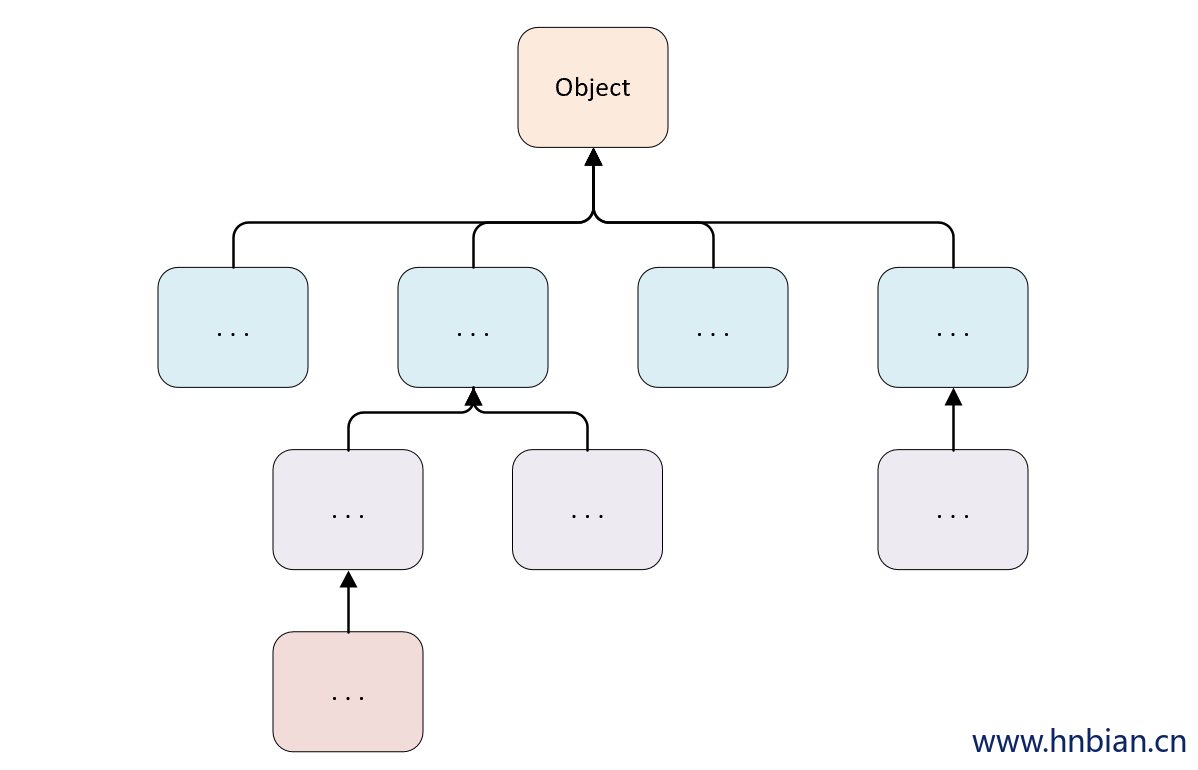
1.1 介绍
1.2 方法列表
| 方法 |
作用 |
| protected Object clone( ) |
创建并返回一个对象的拷贝 |
| boolean equals( Object obj ) |
比较两个对象是否相等 |
| protected void finalize( ) |
当 GC ( 垃圾回收器 ) 确定不存在对该对象的有更多引用时,
由对象的垃圾回收器调用此方法。 |
| Class getClass( ) |
获取对象的运行时对象的类 |
| int hashCode( ) |
获取对象的 hash 值 |
| void notify( ) |
唤醒在该对象上等待的某个线程 |
| void notifyAll( ) |
唤醒在该对象上等待的所有线程 |
| String toString( ) |
返回对象的字符串表示形式 |
| void wait( ) |
让当前线程进入等待状态。
直到其他线程调用此对象的 notify() 方法或 notifyAll() 方法。 |
| void wait(long timeout) |
让当前线程处于等待(阻塞)状态,
直到其他线程调用此对象的 notify() 方法或 notifyAll() 方法,
或者超过参数设置的timeout超时时间。 |
| void wait(long timeout, int nanos) |
与 wait( long timeout ) 方法类似,
多了一个 nanos 参数,这个参数表示额外时间(以纳秒为单位,范围是 0-999999)。
所以超时的时间还需要加上 nanos 纳秒。。 |
2. Equals 方法
2.1 概述
Object 的 equals() 方法用于比较两个对象是否相等。
equals() 方法判断的是两个对象引用是否指向了同一个对象,即比较对象的内存地址是否相等。
如果重写了 equals() 方法,也需要重写 hashCode() 方法
- 如 String 类就重写 equals() 方法,同时也重写了 hashCode() 方法
1
2
3
4
5
6
7
8
9
10
11
12
13
14
15
| public class Object01_Equals01 {
public static void main(String[] args) {
Object obj1 = new Object();
Object obj2 = new Object();
System.out.println(obj1.equals(obj2));
Object obj3 = obj1;
System.out.println(obj1.equals(obj3));
}
}
|
2.2 == 和equals 对比
== 是一个比较运算符
== 既可以判断基本类型, 又可以判断引用类型
object 只能用于比较引用类型是否相等
== 如果判断基本类型, 判断的是值是否相等, 如 ing i=10; double j = 10.0
== 如果判断引用类型,判断的是地址是否相等, 即判断是不是同一个对象
1
2
3
4
5
6
7
8
9
10
11
12
13
14
15
16
17
18
19
| public class Object02_Equals02 {
public static void main(String[] args) {
int i1 = 10;
int i2 = 10;
System.out.println("i1 == i2 = "+(i1 == i2));
Object o1 = new Object();
Object o2 = o1;
System.out.println("o1 == o2 = "+(o1 == o2));
System.out.println("o1.equals(o2) = "+(o1.equals(o2)));
Object o3 = new Object();
System.out.println("o1 == o3 = "+(o1 == o3));
System.out.println("o1.equals(o3) = "+(o1.equals(o3)));
}
}
|
3.2.3 String.equals 源码
String 类把 Object 的 equals 方法重写了, 改成比较两个字符串的值是否相等
- Jdk 11这种 String 类的equals 方法源码
1
2
3
4
5
6
7
8
9
10
11
12
13
14
15
16
17
18
19
20
21
| public boolean equals(Object anObject) {
if (this == anObject) {
return true;
}
if (anObject instanceof String) {
String aString = (String)anObject;
if (coder() == aString.coder()) {
return isLatin1() ?
StringLatin1.equals(value, aString.value)
:
StringUTF16.equals(value, aString.value);
}
}
return false;
}
|
1
2
3
4
5
6
7
8
9
10
11
12
13
14
15
16
17
18
19
| public class EqualsTest02 {
public static void main(String[] args) {
String a = "hello";
String b = "hello";
System.out.println(a == b);
System.out.println(a.equals(b));
String c = new String("world");
String d = new String("world");
System.out.println(d == c);
System.out.println(d.equals(c));
}
}
|
3.2.4 重写 equals
判断两个 对象的内容是否相同,如果对象的属性值都一样, 则返回 true 否则返回false
1
2
3
4
5
6
7
8
9
10
11
12
13
14
15
16
17
18
19
20
21
22
23
24
25
26
27
28
29
30
31
32
33
34
35
36
37
38
39
40
41
42
43
44
45
| public class EqualsOverride {
public static void main(String[] args) {
K k1 = new K("x", 20);
K k2 = new K("x", 20);
System.out.println("k1 equals k2 = "+k1.equals(k2));
K k3 = new K("x", 21);
System.out.println("k1 equals k3 = "+k1.equals(k3));
System.out.println(k1.hashCode());
System.out.println(k2.hashCode());
System.out.println(k3.hashCode());
}
}
class K {
String name;
int age;
public K(String name, int age) {
this.name = name;
this.age = age;
}
@Override
public boolean equals(Object o) {
if (this == o) {
return true;
}
if (o instanceof K) {
K k = (K) o;
return (this.age ==k.age ) && (this.name.equals(k.name));
}
return false;
}
@Override
public int hashCode(){
return this.name.hashCode()+this.age;
}
}
|
3. HashCode
Object hashCode 方法能够返回对象的哈希值,返回的哈希值是一个整数, 表示在哈希表中的位置。能够提高具有哈希结构的容器的效率
哈希值主要根据内存地址得来的, 但是不能将哈希值等价于内存地址
如果两个引用指向的是同一个对象, 那么哈希值一定是一样的,如果指向不同对象, 哈希值则不同
代码示例
1
2
3
4
5
6
7
8
9
10
11
12
13
| public class HashCodeTest {
public static void main(String[] args) {
Object obj1 = new Object();
System.out.println(obj1.hashCode());
Object obj2 = new Object();
System.out.println(obj2.hashCode());
Object obj3 = obj2;
System.out.println(obj3.hashCode());
}
}
|
4.ToString 方法
默认返回 ``包名+类名+@+哈希值的16进制`,子类往往重写toString方法, 用于返回对象的属性信息
重写toString方法, 打印对象或者拼接对象时,都会自动调用该对象的toString形式
当直接输出一个对象时, toString方法会被默认的调用
Object.toString 源码
1
2
3
| public String toString() {
return getClass().getName() + "@" + Integer.toHexString(hashCode());
}
|
1
2
3
4
5
6
7
8
9
10
11
12
13
14
15
16
17
18
19
20
21
22
23
24
25
26
27
28
29
30
31
32
33
34
| public class ToStringTest01 {
public static void main(String[] args) {
ToStringTest01 ts1 = new ToStringTest01();
System.out.println(ts1.toString());
Ts ts = new Ts("ts", "1001");
System.out.println(ts.toString());
System.out.println(ts);
}
}
class Ts{
String name;
String id;
public Ts(String name, String id) {
this.name = name;
this.id = id;
}
@Override
public String toString() {
return "Ts{" +
"name='" + name + '\'' +
", id='" + id + '\'' +
'}';
}
}
|
5. Finalize
当对象被回收时,系统会自动调用该对象的 finalize 方法,子类可以重写该方法, 做释放资源等操作。
如果某个对象没有引用时,JVM 就会认为这个对象是一个垃圾对象,在出发垃圾回收机制时就会销毁该对象,但在销毁前,会先调用该对象的 finalize 方法。
垃圾回收机制的调用, 是由系统来决定的, 即JVM有自己的垃圾回收算法, 也可以通过System.gc()主动触发垃圾回收机制。
1
2
3
4
5
6
7
8
9
10
11
12
13
14
15
16
17
18
19
20
21
22
23
| public class FinalizeTest {
public static void main(String[] args) {
A a = new A("A");
a = null;
System.gc();
}
}
class A{
String name;
public A(String name) {
this.name = name;
}
@Override
public void finalize() throws Throwable {
System.out.println("A 的 finalize 方法被调用");
}
}
|
6. Clone 方法
6.1 概述
Object clone() 方法用于创建并返回一个对象的拷贝。
clone 方法是浅拷贝,对象内属性引用的对象只会拷贝引用地址,而不会将引用的对象重新分配内存,相对应的深拷贝则会连引用的对象也重新创建。
Object 的 clone() 方法是一个受保护 ( protected ) 的方法
由于 Object 本身没有实现 Cloneable 接口,所以不重写 clone 方法并且进行调用的话会发生 CloneNotSupportedException 异常。
6.2 cloneable 接口
如果未重写 clone 方法的情况下, 想调用 Object 的 clone 方法时需要实现 cloneable 接口
cloneable 其实就是一个标记接口, 此类实现了Cloneable接口,以指示 Object 的 clone() 方法 可以合法地对该类实例进行按字段复制
如果在没有实现 Cloneable 接口的实例上调用 Object 的 clone() 方法,则会导致抛出 CloneNotSupporteddException
6.3 clone 方法使用示例
1
2
3
4
5
6
7
8
9
10
11
12
13
14
15
16
17
18
19
20
21
22
| public class CloneTest implements Cloneable {
int age;
String name;
public CloneTest(int age, String name) {
this.age = age;
this.name = name;
}
public static void main(String[] args) {
CloneTest ct1 = new CloneTest(18, "晓明");
System.out.println("ct1.age = "+ct1.age+", ct1.name = "+ct1.name);
try {
CloneTest ct2 = (CloneTest) ct1.clone();
System.out.println("ct2.age = "+ct2.age+", ct2.name = "+ct2.name);
} catch (CloneNotSupportedException e) {
e.printStackTrace();
}
}
}
|
6.4 浅拷贝(shallow clone)
- 上面的代码调用 clone() 方法实现对象的克隆, 是属于浅拷贝,浅拷贝有一下几个特点:
- 使用默认的 clone 方法
- 对于原始数据域进行值拷贝
- 对于引用类型仅拷贝引用
- 执行快,效率高
- 不能做到数据的 100% 分离
- 如果一个对象只包含原始数据域 或者 不可变对象域,推荐使用浅拷贝
1
2
3
4
5
6
7
8
9
10
11
12
13
14
15
16
17
18
19
20
21
22
23
24
25
26
27
28
29
30
31
32
33
34
35
36
37
38
39
40
41
42
43
44
| public class CloneShallow implements Cloneable{
String name;
int age;
P p;
public CloneShallow(String name, int age,P p) {
this.name = name;
this.age = age;
this.p = p;
}
public static void main(String[] args) throws CloneNotSupportedException {
CloneShallow aa = new CloneShallow("AA", 18,new P("ss"));
System.out.println("aa.name = "+ aa.name);
System.out.println("aa.p.name = "+ aa.p.name);
CloneShallow bb = (CloneShallow) aa.clone();
aa.name = "AAAA";
aa.p.name="ssss";
System.out.println("aa.name = "+ aa.name);
System.out.println("bb.name = "+ bb.name);
System.out.println("aa.p.name = "+ aa.p.name);
System.out.println("bb.p.name = "+ bb.p.name);
}
@Override
public Object clone() throws CloneNotSupportedException {
return super.clone();
}
}
class P{
String name;
public P(String name) {
this.name = name;
}
}
|
6.5 深拷贝(deep clone)
- 做到了原对象与克隆对象之间100%数据分离
- 深拷贝比浅拷贝要更加耗时,效率更低
如果是对象存在引用类型的属性,建议使用深拷贝,深拷贝需要重写clone方法,不仅仅只调用父类的方法,还需调用属性的clone方法
1
2
3
4
5
6
7
8
9
10
11
12
13
14
15
16
17
18
19
20
21
22
23
24
25
26
27
28
29
30
31
32
33
34
35
36
37
38
39
40
41
42
43
44
45
46
47
48
49
50
51
52
53
54
55
56
| public class CloneDeep implements Cloneable {
String name;
int age;
S s;
public CloneDeep(String name, int age, S s) {
this.name = name;
this.age = age;
this.s = s;
}
public static void main(String[] args) throws CloneNotSupportedException {
CloneDeep aa = new CloneDeep("AA", 18,new S("ss"));
System.out.println("aa.name = "+ aa.name);
System.out.println("aa.p.name = "+ aa.s.name);
CloneDeep bb = (CloneDeep) aa.clone();
aa.name = "AAAA";
aa.s.name="ssss";
System.out.println("aa.name = "+ aa.name);
System.out.println("bb.name = "+ bb.name);
System.out.println("aa.s.name = "+ aa.s.name);
System.out.println("bb.s.name = "+ bb.s.name);
}
@Override
public Object clone() throws CloneNotSupportedException {
CloneDeep cd = (CloneDeep) super.clone();
cd.s = (S) s.clone();
return cd;
}
}
class S implements Cloneable {
String name;
public S(String name) {
this.name = name;
}
@Override
public Object clone() throws CloneNotSupportedException {
return super.clone();
}
}
|
1
2
3
4
5
6
7
8
9
10
11
12
13
14
15
16
17
18
19
20
21
22
23
24
25
26
27
28
29
30
31
32
33
34
35
36
37
38
39
40
41
42
43
44
45
46
47
48
49
50
51
52
53
54
55
56
57
58
| public class CloneDeepSerializable implements Serializable {
private static final long serialVersionUID = 1L;
String name;
int age;
public D d;
public CloneDeepSerializable(String name, int age, D d) {
this.name = name;
this.age = age;
this.d = d;
}
public static void main(String[] args) {
CloneDeepSerializable cd1 = new CloneDeepSerializable("AA", 18, new D("dd"));
CloneDeepSerializable cd2 = cd1.copy();
cd1.name="AAAA";
cd1.d.name="DDDD";
System.out.println("cd1.name = "+cd1.name);
System.out.println("cd2.name = "+cd2.name);
System.out.println("cd1.d.name = "+cd1.d.name);
System.out.println("cd2.d.name = "+cd2.d.name);
}
public CloneDeepSerializable copy() {
CloneDeepSerializable copy = null;
try {
ByteArrayOutputStream baos = new ByteArrayOutputStream();
ObjectOutputStream oos = new ObjectOutputStream(baos);
oos.writeObject(this);
ByteArrayInputStream bais = new ByteArrayInputStream(baos.toByteArray());
ObjectInputStream ois = new ObjectInputStream(bais);
copy = (CloneDeepSerializable) ois.readObject();
} catch (IOException e) {
e.printStackTrace();
} catch (ClassNotFoundException e) {
e.printStackTrace();
}
return copy;
}
}
class D implements Serializable{
private static final long serialVersionUID = 2L;
public String name = "";
public D(String name) {
this.name = name;
}
}
|
7. GetClass
Object getClass() 方法用于获取对象的运行时对象的类
1
2
3
4
5
6
7
8
9
10
11
12
13
14
15
16
17
| public class GetClassTest {
public static void main(String[] args) {
Object o = new Object();
System.out.println(o.getClass());
String s = new String("s");
System.out.println(s.getClass());
Gc gc = new Gc();
System.out.println(gc.getClass());
}
}
class Gc{ }
|
8. wait 方法 -
Object wait() 方法让当前线程进入等待状态。直到其他线程调用此对象的 notify() 方法 或 notifyAll() 方法。
当前线程必须是此对象的监视器所有者,否则还是会发生 IllegalMonitorStateException 异常。
如果当前线程在等待之前或在等待时被任何线程中断,则会抛出 InterruptedException 异常。
1
2
3
4
5
6
7
8
9
10
11
12
13
14
15
16
17
18
19
20
21
22
23
24
25
26
27
28
29
30
31
32
33
34
35
36
37
38
39
40
41
42
43
44
45
46
47
48
49
50
51
52
53
54
55
56
57
58
59
60
61
62
63
64
65
66
67
68
69
70
71
72
73
74
75
76
77
78
79
80
81
82
83
84
85
86
87
88
89
90
| import java.util.Collections;
import java.util.LinkedList;
import java.util.List;
public class WaitTest {
private List synchedList;
public WaitTest() {
synchedList = Collections.synchronizedList(new LinkedList());
}
public String removeElement() throws InterruptedException {
synchronized (synchedList) {
while (synchedList.isEmpty()) {
System.out.println("List is empty...");
synchedList.wait();
System.out.println("Waiting...");
}
String element = (String) synchedList.remove(0);
return element;
}
}
public void addElement(String element) {
System.out.println("Opening...");
synchronized (synchedList) {
synchedList.add(element);
System.out.println("New Element:'" + element + "'");
synchedList.notifyAll();
System.out.println("notifyAll called!");
}
System.out.println("Closing...");
}
public static void main(String[] args) {
final WaitTest wt = new WaitTest();
Runnable runA = new Runnable() {
public void run() {
try {
String item = wt.removeElement();
System.out.println("" + item);
} catch (InterruptedException ix) {
System.out.println("Interrupted Exception!");
} catch (Exception x) {
System.out.println("Exception thrown.");
}
}
};
Runnable runB = new Runnable() {
public void run() {
wt.addElement("Hello!");
}
};
try {
Thread threadA1 = new Thread(runA, "Google");
threadA1.start();
Thread.sleep(500);
Thread threadA2 = new Thread(runA, "Runoob");
threadA2.start();
Thread.sleep(500);
Thread threadB = new Thread(runB, "Taobao");
threadB.start();
Thread.sleep(1000);
threadA1.interrupt();
threadA2.interrupt();
} catch (InterruptedException x) {
}
}
}
|
9. wait(long timeout) -
Object wait(long timeout) 方法让当前线程处于 阻塞 状态,long timeout 参数单位为毫秒
如果 时间超过 timeout 设置的时间当前线程会继续执行,或者其他线程调用此对象的 notify() 方法 或 notifyAll() 方法。
如果 timeout 参数为 0,则不会超时,会一直进行等待,类似于 wait() 方法。
当前线程必须是此对象的监视器所有者,否则还是会发生 IllegalMonitorStateException 异常。
如果当前线程在等待之前或在等待时被任何线程中断,则会抛出 InterruptedException 异常。
如果传递的参数不合法,则会抛出 IllegalArgumentException 异常。
1
2
3
4
5
6
7
8
9
10
11
12
13
14
15
16
17
18
19
20
21
22
23
24
25
26
27
28
29
30
31
32
33
34
35
36
37
38
39
40
41
42
43
44
45
46
47
48
49
50
51
52
53
54
55
56
57
58
59
60
61
62
63
64
65
66
67
68
69
70
71
72
73
74
75
76
77
78
79
80
81
82
83
84
85
86
87
88
89
90
91
92
93
94
95
96
| public class WaitLongTest {
private List synchedList;
public WaitLongTest(){
synchedList = Collections.synchronizedList(new LinkedList());
}
public static void main(String[] args) {
final WaitLongTest wlt = new WaitLongTest();
Runnable runA = new Runnable() {
public void run() {
try {
String item = wlt.delElement();
System.out.println("--" + item);
} catch (InterruptedException ix) {
System.out.println("Interrupted Exception!");
} catch (Exception x) {
System.out.println("Exception thrown.");
}
}
};
Runnable runB = new Runnable() {
public void run() {
wlt.addElement("Hello!");
}
};
try {
Thread threadA1 = new Thread(runA, "Google");
threadA1.start();
Thread.sleep(500);
Thread threadA2 = new Thread(runA, "Runoob");
threadA2.start();
Thread.sleep(500);
Thread threadB = new Thread(runB, "Taobao");
threadB.start();
Thread.sleep(1000);
threadA1.interrupt();
threadA2.interrupt();
} catch (InterruptedException x) {
}
}
public String delElement() throws InterruptedException {
synchronized (synchedList) {
while (synchedList.isEmpty()) {
System.out.println("List is empty...");
synchedList.wait(10000);
System.out.println("Waiting...");
}
String element = (String) synchedList.remove(0);
return element;
}
}
public void addElement(String element) {
System.out.println("Opening...");
synchronized (synchedList) {
synchedList.add(element);
System.out.println("New Element:'" + element + "'");
synchedList.notifyAll();
System.out.println("notifyAll called!");
}
System.out.println("Closing...");
}
}
|
10. Notify 方法 -
Object notify() 方法用于唤醒一个在此对象监视器上等待的线程。
如果所有的线程都在此对象上等待,那么只会选择一个线程,选择是任意性的,并在对实现做出决定时发生。
一个线程在对象监视器上等待可以调用 wait() 方法。
notify() 方法只能被作为此对象监视器的所有者的线程来调用。
一个线程要想成为对象监视器的所有者,可以使用以下 3 种方法:
- 执行对象的同步实例方法
- 使用 synchronized 内置锁
- 对于 Class 类型的对象,执行同步静态方法
一次只能有一个线程拥有对象的监视器。
如果当前线程不是此对象监视器的所有者的话会抛出 IllegalMonitorStateException 异常。
1
2
3
4
5
6
7
8
9
10
11
12
13
14
15
16
17
18
19
20
21
22
23
24
25
26
27
28
29
30
31
32
33
34
35
36
37
38
39
40
41
42
43
44
45
46
47
48
49
50
51
52
53
54
55
56
57
58
59
60
61
62
63
64
65
66
67
68
69
70
71
72
73
74
75
76
77
78
79
80
81
82
83
84
85
86
87
88
89
90
| import java.util.Collections;
import java.util.LinkedList;
import java.util.List;
public class NotifyTest {
private List synchedList;
public NotifyTest() {
synchedList = Collections.synchronizedList(new LinkedList());
}
public String removeElement() throws InterruptedException {
synchronized (synchedList) {
while (synchedList.isEmpty()) {
System.out.println("List is empty...");
synchedList.wait();
System.out.println("Waiting...");
}
String element = (String) synchedList.remove(0);
return element;
}
}
public void addElement(String element) {
System.out.println("Opening...");
synchronized (synchedList) {
synchedList.add(element);
System.out.println("New Element:'" + element + "'");
synchedList.notifyAll();
System.out.println("notifyAll called!");
}
System.out.println("Closing...");
}
public static void main(String[] args) {
final NotifyTest nt = new NotifyTest();
Runnable runA = new Runnable() {
public void run() {
try {
String item = nt.removeElement();
System.out.println("" + item);
} catch (InterruptedException ix) {
System.out.println("Interrupted Exception!");
} catch (Exception x) {
System.out.println("Exception thrown.");
}
}
};
Runnable runB = new Runnable() {
public void run() {
nt.addElement("Hello!");
}
};
try {
Thread threadA1 = new Thread(runA, "Google");
threadA1.start();
Thread.sleep(500);
Thread threadA2 = new Thread(runA, "Runoob");
threadA2.start();
Thread.sleep(500);
Thread threadB = new Thread(runB, "Taobao");
threadB.start();
Thread.sleep(1000);
threadA1.interrupt();
threadA2.interrupt();
} catch (InterruptedException x) {
}
}
}
|
11. NotifyAll 方法 -
Object notifyAll() 方法用于唤醒在该对象上等待的所有线程。
notifyAll() 方法跟 notify() 方法 一样,区别在于 notifyAll() 方法唤醒在此对象监视器上等待的所有线程,notify() 方法是一个线程。
如果当前线程不是对象监视器的所有者,那么调用 notifyAll() 方法同样会发生 IllegalMonitorStateException 异常。
1
2
3
4
5
6
7
8
9
10
11
12
13
14
15
16
17
18
19
20
21
22
23
24
25
26
27
28
29
30
31
32
33
34
35
36
37
38
39
40
41
42
43
44
45
46
47
48
49
50
51
52
53
54
55
56
57
58
59
60
61
62
63
64
65
66
67
68
69
70
71
72
73
74
75
76
77
78
79
80
81
82
83
84
85
86
87
88
89
90
| import java.util.Collections;
import java.util.LinkedList;
import java.util.List;
public class NotifyAllTest {
private List synchedList;
public NotifyAllTest() {
synchedList = Collections.synchronizedList(new LinkedList());
}
public String removeElement() throws InterruptedException {
synchronized (synchedList) {
while (synchedList.isEmpty()) {
System.out.println("List is empty...");
synchedList.wait();
System.out.println("Waiting...");
}
String element = (String) synchedList.remove(0);
return element;
}
}
public void addElement(String element) {
System.out.println("Opening...");
synchronized (synchedList) {
synchedList.add(element);
System.out.println("New Element:'" + element + "'");
synchedList.notifyAll();
System.out.println("notifyAll called!");
}
System.out.println("Closing...");
}
public static void main(String[] args) {
final NotifyAllTest nat = new NotifyAllTest();
Runnable runA = new Runnable() {
public void run() {
try {
String item = nat.removeElement();
System.out.println("" + item);
} catch (InterruptedException ix) {
System.out.println("Interrupted Exception!");
} catch (Exception x) {
System.out.println("Exception thrown.");
}
}
};
Runnable runB = new Runnable() {
public void run() {
nat.addElement("Hello!");
}
};
try {
Thread threadA1 = new Thread(runA, "Google");
threadA1.start();
Thread.sleep(500);
Thread threadA2 = new Thread(runA, "Runoob");
threadA2.start();
Thread.sleep(500);
Thread threadB = new Thread(runB, "Taobao");
threadB.start();
Thread.sleep(1000);
threadA1.interrupt();
threadA2.interrupt();
} catch (InterruptedException x) {
}
}
}
|
![13.[Java 面向对象] 多态](https://images.hnbian.cn/Fof-p2iJ5oEvuNECBIVcpbpFMsTy)
![12.[Java 面向对象] 封装与继承](http://images.hnbian.cn//FnOR4M3_xBUAkoKen_sHq7MyHLAY)