1. 版本说明
2. 磁盘路径规划
| 说明 |
路径 |
| 安装包 |
/etc/fdfs/package |
| 数据存储目录 |
/data/${groupname} … |
| Storage 目录 |
/home/fastdfs_storage |
| Tracker 目录 |
/home/fastdfs_tracker |
3. 准备环境
yum install git gcc gcc-c++ make automake autoconf libtool pcre pcre-devel zlib zlib-devel openssl-devel wget vim -y
4. 关闭防火墙
systemctl stop firewalld.service
systemctl disable firewalld.service
5. 上传安装包
scp * root@node2:/etc/fdfs/package
fastdfs-5.11.zip 100% 415KB 7.2MB/s 00:00
fastdfs-nginx-module-1.20.zip 100% 22KB 1.4MB/s 00:00
libfastcommon-1.0.43.zip 100% 216KB 6.7MB/s 00:00
nginx-1.15.4.tar.gz 100% 1001KB 10.2MB/s 00:00
[root@node2 package]
[root@node2 package]
6. 安装libfatscommon
[root@node2 package]
Archive: libfastcommon-1.0.43.zip
…
[root@node2 package]
[root@node2 libfastcommon-1.0.43]
cc -Wall -D_FILE_OFFSET_BITS=64 -D_GNU_SOURCE -g -O3 -c -o hash.o hash.c
…
mkdir -p /usr/lib64
mkdir -p /usr/lib
mkdir -p /usr/include/fastcommon
install -m 755 libfastcommon.so /usr/lib64
install -m 644 common_define.h hash.h chain.h logger.h base64.h shared_func.h pthread_func.h ini_file_reader.h _os_define.h sockopt.h sched_thread.h http_func.h md5.h local_ip_func.h avl_tree.h ioevent.h ioevent_loop.h fast_task_queue.h fast_timer.h process_ctrl.h fast_mblock.h connection_pool.h fast_mpool.h fast_allocator.h fast_buffer.h skiplist.h multi_skiplist.h flat_skiplist.h skiplist_common.h system_info.h fast_blocked_queue.h php7_ext_wrapper.h id_generator.h char_converter.h char_convert_loader.h common_blocked_queue.h multi_socket_client.h skiplist_set.h fc_list.h json_parser.h buffered_file_writer.h /usr/include/fastcommon
if [ ! -e /usr/lib/libfastcommon.so ]; then ln -s /usr/lib64/libfastcommon.so /usr/lib/libfastcommon.so; fi
7. 修改 fastdfs-nginx-module 配置
unzip fastdfs-nginx-module-1.20.zip
vim /etc/fdfs/package/fastdfs-nginx-module-1.20/src/config
ngx_addon_name=ngx_http_fastdfs_module
if test -n "${ngx_module_link}"; then
ngx_module_type=HTTP
ngx_module_name=$ngx_addon_name
ngx_module_incs="/usr/include/fastdfs /usr/include/fastcommon/"
ngx_module_libs="-lfastcommon -lfdfsclient"
ngx_module_srcs="$ngx_addon_dir/ngx_http_fastdfs_module.c"
ngx_module_deps=
CFLAGS="$CFLAGS -D_FILE_OFFSET_BITS=64 -DFDFS_OUTPUT_CHUNK_SIZE='256*1024' -DFDFS_MOD_CONF_FILENAME='\"/etc/fdfs/mod_fastdfs.conf\"'"
. auto/module
else
HTTP_MODULES="$HTTP_MODULES ngx_http_fastdfs_module"
NGX_ADDON_SRCS="$NGX_ADDON_SRCS $ngx_addon_dir/ngx_http_fastdfs_module.c"
CORE_INCS="$CORE_INCS /usr/include/fastdfs /usr/include/fastcommon/"
CORE_LIBS="$CORE_LIBS -lfastcommon -lfdfsclient"
CFLAGS="$CFLAGS -D_FILE_OFFSET_BITS=64 -DFDFS_OUTPUT_CHUNK_SIZE='256*1024' -DFDFS_MOD_CONF_FILENAME='\"/etc/fdfs/mod_fastdfs.conf\"'"
fi
8. 安装 FastDFS
[root@node2 package]
[root@node2 package]
[root@node2 fastdfs-5.11]
cc -Wall -D_FILE_OFFSET_BITS=64 -D_GNU_SOURCE -g -O -DDEBUG_FLAG -c -o
…
cp -f ../common/fdfs_define.h ../common/fdfs_global.h ../common/mime_file_parser.h ../common/fdfs_http_shared.h ../tracker/tracker_types.h ../tracker/tracker_proto.h ../tracker/fdfs_shared_func.h ../storage/trunk_mgr/trunk_shared.h tracker_client.h storage_client.h storage_client1.h client_func.h client_global.h fdfs_client.h /usr/include/fastdfs
if [ ! -f /etc/fdfs/client.conf.sample ]; then cp -f ../conf/client.conf /etc/fdfs/client.conf.sample; fi
9. 拷贝配置文件
cp /etc/fdfs/tracker.conf.sample /etc/fdfs/tracker.conf
cp /etc/fdfs/storage.conf.sample /etc/fdfs/storage.conf
cp /etc/fdfs/client.conf.sample /etc/fdfs/client.conf
cp /etc/fdfs/package/fastdfs-5.11/conf/http.conf /etc/fdfs/
cp /etc/fdfs/package/fastdfs-5.11/conf/mime.types /etc/fdfs/
cp /etc/fdfs/package/fastdfs-nginx-module-1.20/src/mod_fastdfs.conf /etc/fdfs
mkdir propertiesbackup
mv *.sample propertiesbackup/
10. 安装nginx模块
[root@node2 package]
nginx-1.15.4/
nginx-1.15.4/auto/
[root@node2 package]
[root@node2 nginx-1.15.4]
checking for OS
+ Linux 3.10.0-957.27.2.el7.x86_64 x86_64
…
creating objs/Makefile
Configuration summary
+ using system PCRE library
+ OpenSSL library is not used
+ using system zlib library
nginx path prefix: "/usr/local/nginx"
nginx binary file: "/usr/local/nginx/sbin/nginx"
nginx modules path: "/usr/local/nginx/modules"
nginx configuration prefix: "/usr/local/nginx/conf"
nginx configuration file: "/usr/local/nginx/conf/nginx.conf"
nginx pid file: "/usr/local/nginx/logs/nginx.pid"
nginx error log file: "/usr/local/nginx/logs/error.log"
nginx http access log file: "/usr/local/nginx/logs/access.log"
nginx http client request body temporary files: "client_body_temp"
nginx http proxy temporary files: "proxy_temp"
nginx http fastcgi temporary files: "fastcgi_temp"
nginx http uwsgi temporary files: "uwsgi_temp"
nginx http scgi temporary files: "scgi_temp"
[root@node2 nginx-1.15.4]
…
test -d '/usr/local/nginx/html' \
|| cp -R html '/usr/local/nginx'
test -d '/usr/local/nginx/logs' \
|| mkdir -p '/usr/local/nginx/logs'
make[1]: 离开目录“/etc/fdfs/package/nginx-1.15.4”
11. 配置tracker
[root@node2 home]
vim /etc/fdfs/tracker.conf
disabled=false
bind_addr=
port=22122
connect_timeout=30
network_timeout=60
base_path=/home/fastdfs_tracker
max_connections=256
[root@node2 home]
[root@node2 home]
[root@node2 home]
[root@node2 home]
tcp 0 0 0.0.0.0:22122 0.0.0.0:* LISTEN 11452/fdfs_trackerd
[root@node2 home]
12. 配置storage
[root@node2 home]
[root@node2 fdfs]
cp /etc/fdfs/storage.conf /etc/fdfs/storage-group1.conf
vim /etc/fdfs/storage-group1.conf
disabled=false
port=23000
group_name=group1
base_path=/home/fastdfs_storage
store_path_count=1
store_path0=/home/fastdfs_storage/data
tracker_server=192.168.71.100:22122
http.server_port=8888
/usr/bin/fdfs_storaged /etc/fdfs/storage-group1.conf restart
[root@node2 fdfs]
tcp 0 0 0.0.0.0:22122 0.0.0.0:* LISTEN 11452/fdfs_trackerd
tcp 0 0 0.0.0.0:23000 0.0.0.0:* LISTEN 3868/fdfs_storaged
[root@node2 fdfs]
13. 配置client
vim /etc/fdfs/client.conf
base_path=/home/fastdfs_storage
tracker_server=192.168.71.100:22122
[root@node2 fdfs]
group1/M00/00/00/ChgFJl-jm22AIwK0AAADu-X3fZ437.conf
[root@node2 fdfs]
ChgFJl-jm22AIwK0AAADu-X3fZ437.conf
14. 配置nginx访问
- 编辑mod_fastdfs.conf配置文件
vim /etc/fdfs/mod_fastdfs.conf
tracker_server=192.168.71.100:22122
storage_server_port=23000
group_name=group1
url_have_group_name = true
store_path0=/home/fastdfs_storage/data
- 编辑nginx.config配置文件
vim /usr/local/nginx/conf/nginx.conf
server {
listen 8888;
server_name localhost;
location ~/group[0-9]/ {
ngx_fastdfs_module;
}
error_page 500 502 503 504 /50x.html;
location = /50x.html {
root html;
}
}
15. 启动nginx
[root@node2 data]
ngx_http_fastdfs_set pid=11485
[root@node2 data]
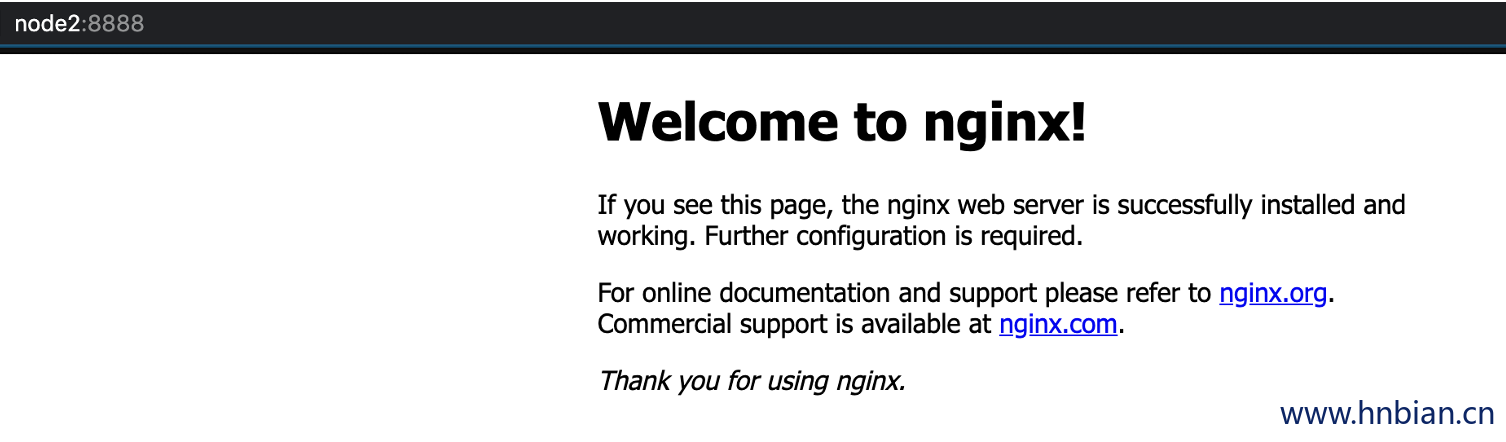
http://node2:8888/
16. 测试 fastdfs-nginx模块
scp 01.jpg root@node2:/etc/fdfs/package
scp 02.jpg root@node2:/etc/fdfs/package
[root@node2 package]
…
[root@node2 package]
[root@node2 package]
…
[2020-11-05 14:48:38] DEBUG - base_path=/home/fastdfs_storage, connect_timeout=30, network_timeout=60, tracker_server_count=1, anti_steal_token=0, anti_steal_secret_key length=0, use_connection_pool=0, g_connection_pool_max_idle_time=3600s, use_storage_id=0, storage server id count: 0
tracker_query_storage_store_list_without_group:
server 1. group_name=, ip_addr=192.168.71.100, port=23000
group_name=group1, ip_addr=192.168.71.100, port=23000
storage_upload_by_filename
group_name=group1, remote_filename=M00/00/00/ChgFJl-joEaAb2fZAADPOHutGLQ206.jpg
source ip address: 192.168.71.100
file timestamp=2020-11-05 14:48:38
file size=53048
file crc32=2074941620
example file url: http://node2/group1/M00/00/00/ChgFJl-joEaAb2fZAADPOHutGLQ206.jpg
storage_upload_slave_by_filename
group_name=group1, remote_filename=M00/00/00/ChgFJl-joEaAb2fZAADPOHutGLQ206_big.jpg
source ip address: node2
file timestamp=2020-11-05 14:48:39
file size=53048
file crc32=2074941620
example file url: http://node2/group1/M00/00/00/ChgFJl-joEaAb2fZAADPOHutGLQ206_big.jpg